Choosing the right Apple Watch depends on your budget, lifestyle and which features matter most to you. As of September 2026, Apple’s lineup consists of the Apple Watch Series 12, Apple Watch Ultra 4 and Apple Watch SE 3, although the various combinations of case size, material, color and band can make choosing one seem like a bit of a minefield.
The Apple Watch Series 12 is the best choice for most people, combining a tougher display and more advanced heart-rate sensing with an S11 chip and 24-hour battery life. The larger and more rugged Apple Watch Ultra 4 is designed for endurance sports and outdoor adventures, offering precision GPS, diving features and up to 50 hours of battery life. The Apple Watch SE 3 remains the best-value option for buyers who want the core Apple Watch experience and can live without features such as ECG and the latest health sensors.
Apple updated the Series and Ultra models in September 2026, but the SE was unchanged. However, the SE 3 only arrived in 2025 and includes significant improvements over its predecessor, including an always-on display, temperature sensing and the same S10 chip found in the Series 11. You may also find older models at a discount, but check that the saving is worthwhile and bear in mind that watchOS 27 no longer supports every older Apple Watch. See our roundup of the best Apple Watch deals for the latest prices.
In this guide, we’ll explain the differences between the current models and help you decide whether you need to spend more on the Series 12 or Ultra 4 – or whether the SE 3 offers everything you need. We’ll compare their features, specifications and prices, as well as explain the choices of sizes, case materials, colors and bands, so you can buy the Apple Watch that best suits your needs.
Best Apple Watch: At a glance recommendations
| Buy the Apple Watch Ultra 4 if… | Buy the Apple Watch Series 12 if… | Buy the Apple Watch SE 3 if… | |
|---|---|---|---|
| Charging | You regularly spend 2+ days away from a charger. | You charge your watch daily without issue. | You don’t mind charging your watch daily. |
| Activity | You are a runner, hiker, cyclist, or diver. | You are a general fitness user or casual athlete. | You want everyday fitness and activity tracking. |
| Display | You need the brightest display (3,000 nits) for outdoor visibility. | You prefer a lighter, less bulky watch. | You want an always-on display at the lowest price. |
| Health & Safety | You want satellite communication for safety. | You want the best value for the core health features. | You don’t need ECG or advanced health sensing. |
| Need | You need the toughest, most durable build (titanium, sapphire crystal). | You want a choice of sizes (42mm or 46mm) and materials (aluminum, ceramic). | You want an affordable watch for a child or older relative. |
Apple Watch Series 12 – Best Apple Watch for most people
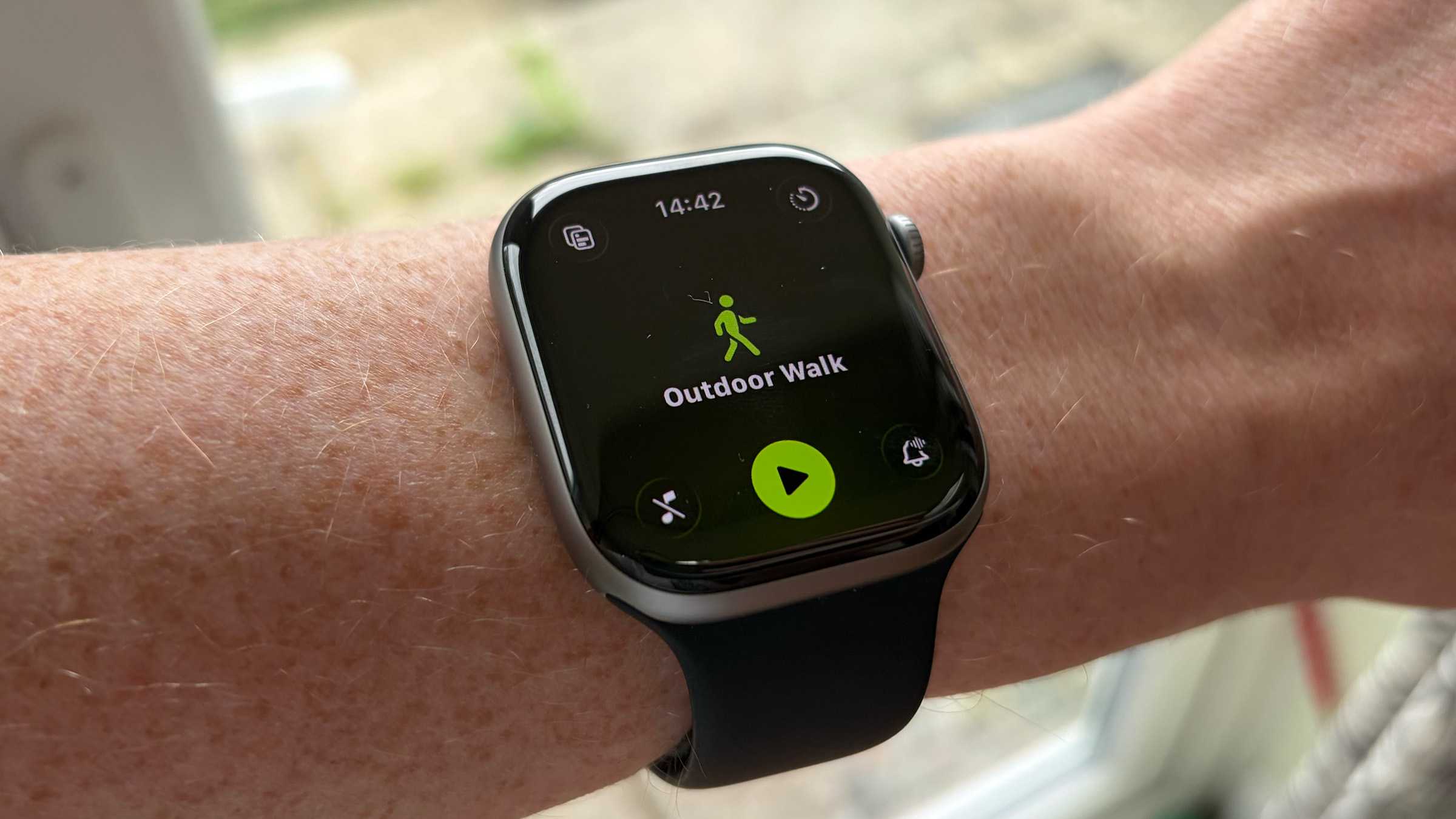
Pros
- Advanced heart-rate sensing
- Tougher Ceramic Shield display
- Powerful Audio Intelligence features
Cons
- Battery life same as previous generation
- No satellite connectivity
Best Prices Today:

The Apple Watch Series 12 is Apple’s mainstream premium smartwatch and the best choice for most people. Its S11 chip powers a redesigned heart-rate sensor system that measures your heart rate every five seconds throughout the day. It also enables Audio Intelligence features including Sound Recognition, Live Rewind and Siri Recap.
The design remains familiar, but Apple has introduced new finishes: Light Gold and Dark Bronze replace Silver and Rose Gold on aluminum models, while Radiant Gold replaces Gold on titanium versions. Ceramic cases also return in Night Blue and Pearl White. Prices still start at $399, although some configurations cost more than their Series 11 equivalents.
Key advantages and limitations
Aluminum models now use Ceramic Shield 2, which Apple claims is 60 percent more durable than the Ion-X glass used on the aluminum Series 11. Battery life remains at 24 hours, but outdoor workout tracking increases to 10 hours and the watch can charge to 80 percent in around 30 minutes.
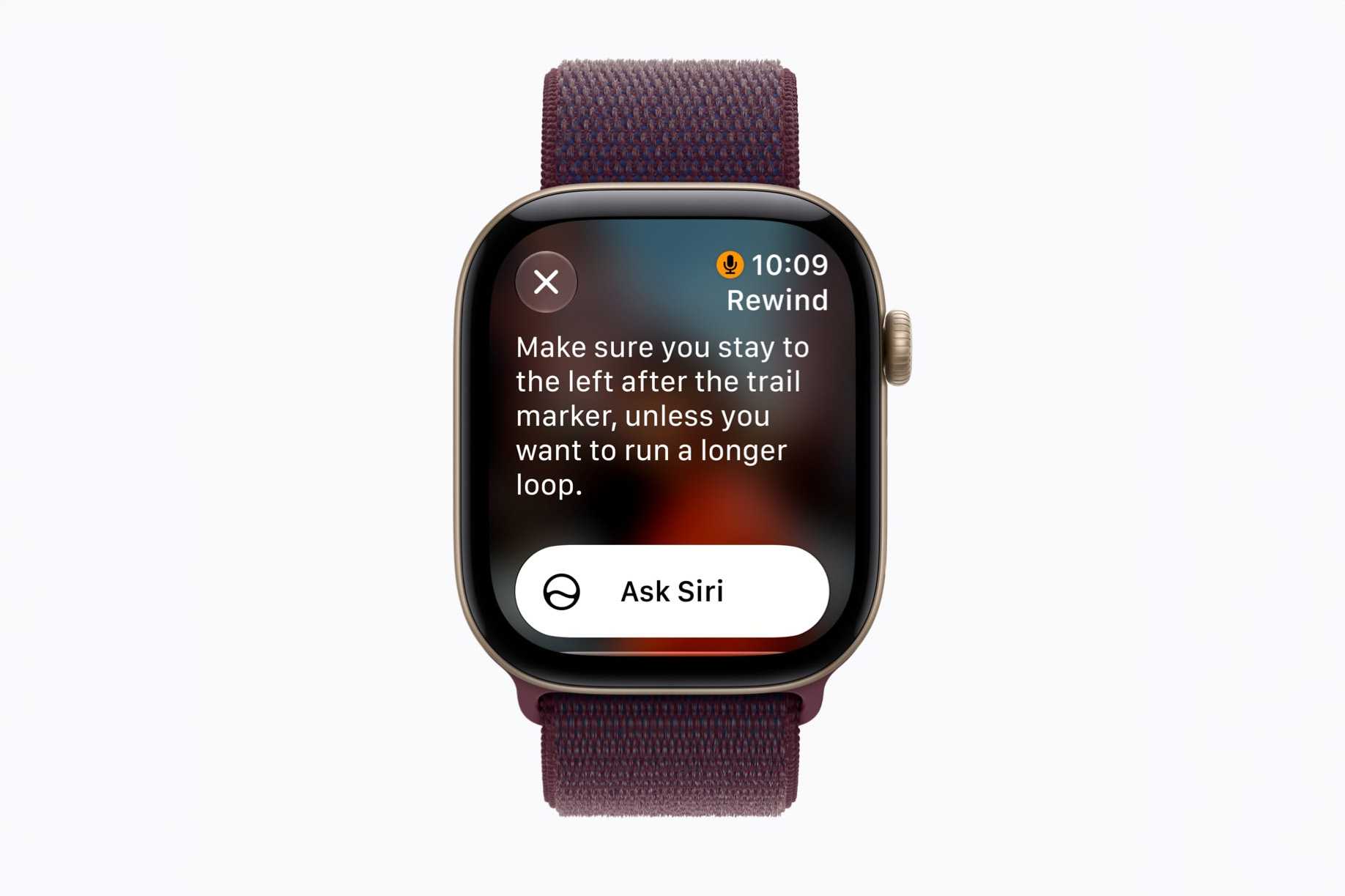
Live Rewind can display a transcript of the previous 15 seconds of a conversation when you double-press the Digital Crown. However, assigning that gesture to Live Rewind means the traditional App Switcher is no longer available, making multitasking less convenient. The Series 12 also lacks the Ultra 4’s satellite connectivity, 50-hour battery life and brighter, more rugged display.
Who should buy the Apple Watch Series 12?
The Series 12 is the best option for anyone who wants Apple’s latest health and smart features without the size or price of the Ultra 4. Its advanced heart-rate sensing, Readiness score, tougher display and relatively compact design make it particularly attractive to health-conscious users and anyone upgrading from a Series 9 or older.
Who shouldn’t buy one?
Series 10 and 11 owners probably won’t gain enough to justify upgrading, especially because the quoted 24-hour battery life is unchanged. Outdoor adventurers who need satellite connectivity, extended workout tracking or maximum battery life should consider the Ultra 4 instead.
Should I buy an older version of the Apple Watch Series?
A discounted Series 10 or 11 could offer better value if you don’t need the new health sensing or Audio Intelligence features. The Series 9 is also still compatible with watchOS 27. Avoid the Series 8 and older models unless they are exceptionally cheap, because they cannot run watchOS 27 and will miss out on future feature updates.
Apple Watch Ultra 4 – Best Apple Watch for adventurers and endurance athletes

Pros
- Exceptional 50-hour battery
- Advanced outdoor capabilities
- More frequent health measurements
Cons
- Large and heavy
- Expensive for everyday users
Best Prices Today:
The Apple Watch Ultra 4 is Apple’s most rugged and capable smartwatch, designed for endurance athletes and outdoor adventurers. It retains the Ultra 3’s 49mm titanium case, 3,000-nit display, Action button, dual-frequency GPS, satellite connectivity, 100-meter water resistance and recreational diving support.
Inside, the new S11 processor powers the redesigned heart-rate sensing system also found in the Series 12. It measures heart rate every five seconds throughout the day and enables Audio Intelligence features including Sound Recognition, Live Rewind and Siri Recap.
Key advantages and limitations
Battery life is the Ultra 4’s biggest improvement, increasing from 42 to 50 hours under normal use. Extended Workout mode provides up to 25 hours with full GPS and heart-rate measurements, while Max Extended Workout mode can track outdoor runs and walks for up to 45 hours. Charging is faster too, with a 15-minute charge providing up to 18 hours of use.
Satellite connectivity, precision dual-frequency GPS, diving support and the bright display make it particularly well suited to demanding environments. However, its 49mm case is large and heavy, while charging to 80 percent takes around 45 minutes, compared with approximately 30 minutes for the Series 12. The external design is also largely unchanged. Pricing remains at $799, twice the Series 12’s starting price.
Who should buy the Apple Watch Ultra 4?
Choose the Ultra 4 if you need the longest Apple Watch battery life, highly accurate GPS, satellite connectivity, diving support or extended workout tracking. It is particularly suited to runners, hikers, cyclists, divers and anyone who regularly spends more than a day away from a charger.
Its extended battery life could also appeal to travelers and people working long shifts, even if they don’t participate in extreme sports.
Who shouldn’t buy one?
Most people will be better served by the smaller and less expensive Series 12. It provides the same S11 processor, redesigned heart-rate sensing and principal Audio Intelligence features without the Ultra’s bulk or $799 price. If you don’t need satellite communication, precision GPS, diving support or exceptionally long workout tracking, you are unlikely to benefit from the additional expense.
Should I buy an older Apple Watch Ultra?
The Ultra 3 remains a strong alternative if substantially discounted, although its battery lasts up to 42 rather than 50 hours. The Ultra 2 is the oldest model compatible with watchOS 27 and may also be worth considering at the right price, but it lacks some newer connectivity and battery improvements. Avoid the original Ultra unless it is exceptionally inexpensive, because it cannot run watchOS 27.
Apple Watch SE 3 – Best budget Apple Watch
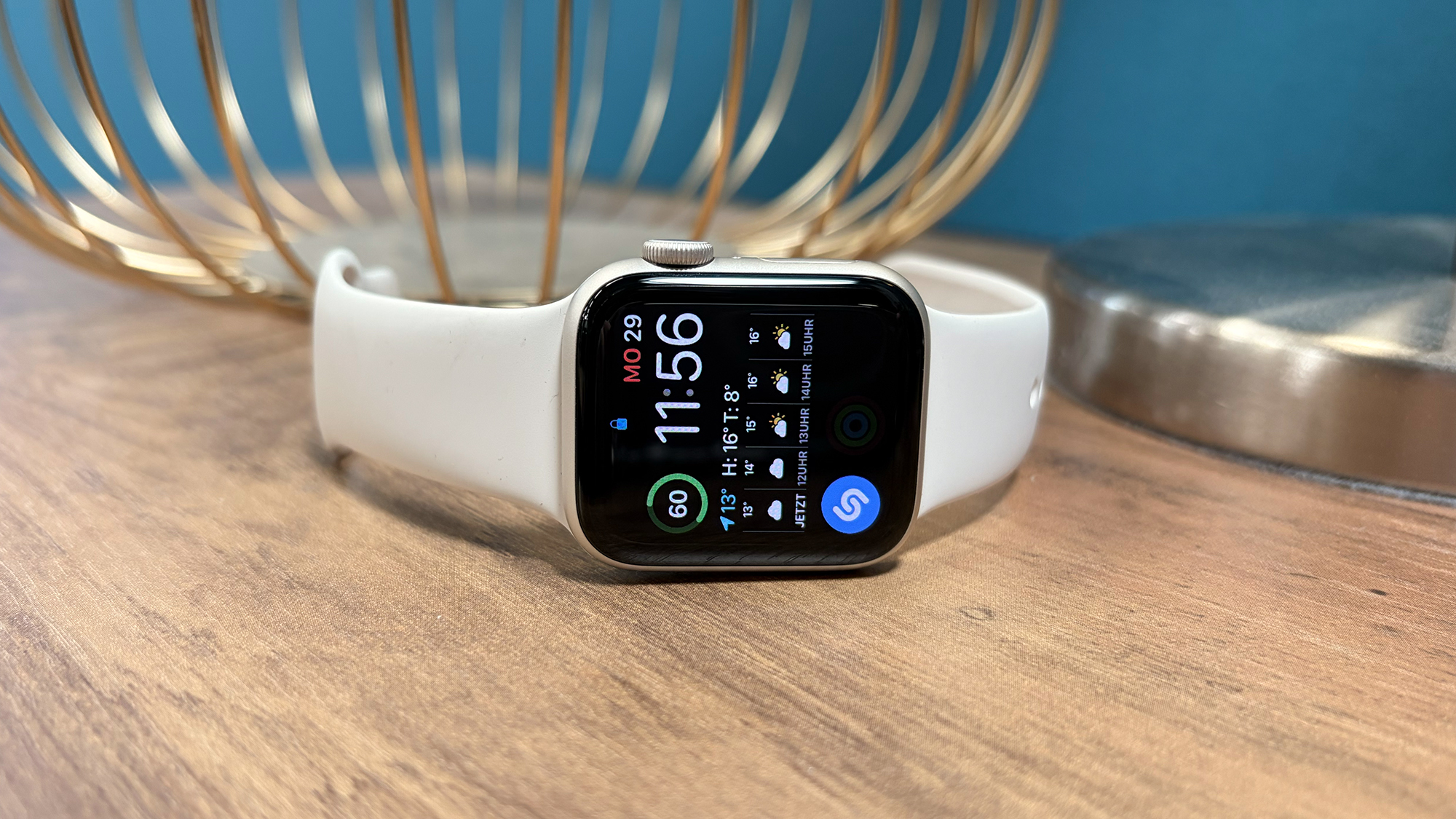
Pros
- Excellent value for money
- Useful always-on display
- Fast, capable S10 chip
Cons
- Missing advanced health sensors
- Shorter 18-hour battery life
Best Prices Today:
The Apple Watch SE 3 is Apple’s most affordable smartwatch and the best-value model in the current lineup. Introduced in September 2025, it brought substantial improvements over the SE 2, including an always-on display, the S10 processor used by the Series 11, temperature sensing, fast charging and 64GB of storage.
It also supports Double Tap and Wrist Flick gestures, on-device Siri and media playback through its speaker. The aluminum case comes in Midnight or Starlight, but there is no longer a Silver option. Prices start at $249/£219, although it can fall as low as $199 during sales.
Key advantages and limitations
The SE 3 provides the essential Apple Watch experience, including fitness and sleep tracking, Sleep Score, heart-rate alerts, temperature-based cycle tracking, Fall Detection and Crash Detection. Its Ion-X display glass is four times more crack-resistant than that of the SE 2, while cellular versions add 5G connectivity.
Battery life remains limited to 18 hours, although Low Power Mode extends this to 32 hours. Fast charging reaches approximately 80 percent in 45 minutes, and a 15-minute charge provides around eight hours of use. The SE 3 lacks ECG, Blood Oxygen monitoring, hypertension notifications and the redesigned Health Sensing System found on the Series 12. Its 1,000-nit display, thicker bezels and limited material choices also make it feel less premium.
Who should buy the Apple Watch SE 3?
The SE 3 is ideal for first-time Apple Watch buyers and anyone who wants fitness tracking, notifications and safety features without paying for advanced health sensors. It is also a strong option for children when using the cellular model with Family Setup, and for older users who could benefit from Fall Detection, Emergency SOS and heart-rate monitoring.
Who shouldn’t buy one?
Choose the Series 12 instead if you want ECG, Blood Oxygen monitoring, hypertension notifications, more advanced heart-rate sensing or a brighter, more premium display. Buyers who need multi-day battery life, satellite connectivity or specialist outdoor features should consider the Ultra 4.
Should I buy an older Apple Watch SE?
No. The SE 2 cannot run watchOS 27 and lacks the SE 3’s always-on display, temperature sensing, faster charging, newer gestures and additional storage. Even at a substantial discount, its reduced software lifespan makes it difficult to recommend in 2026.
Read our full
Apple Watch SE 3 (40mm) review
watchOS 27 features: What’s new and what requires Series 12 or Ultra 4
Apple released a new version of the software that runs on the Apple Watch – watchOS 27 – on September 14, 2026, but not every new feature is available on every supported watch. Some improvements are software-led and work across compatible models, while others depend on the S11 chip and redesigned sensors in the Apple Watch Series 12 and Ultra 4.
The hardware-dependent health features unique to the 2026 Watches include background heart-rate measurements every five seconds and HRV (heart rate variability) measurements every five minutes. The Series 12 and Ultra 4 also gain the Readiness app, which analyzes recent activity, training load, sleep and health data to produce a daily recovery score. Other exclusives include daytime resting heart-rate and HRV data in Vitals, a real-time chart in the Heart Rate app, more accurate all-day step counting and a Steps complication that updates on the watch face.
The S11 chip also enables Apple’s Audio Intelligence features. Automatic Music Recognition uses Shazam to identify nearby songs and display them in the Smart Stack, while Sound Recognition can detect doorbells, alarms, sirens and crying babies without relying on the iPhone. Live Rewind displays a transcript of the previous 15 seconds of conversation after a double-press of the Digital Crown; it does not save an audio recording. Siri Recap produces high-level summaries of conversations. Live Rewind and Siri Recap are expected to arrive in beta later in 2026 and require a compatible Apple Intelligence iPhone and Siri AI.
Other watchOS 27 features are more widely available. These include the Dynamic App Grid, redesigned Find My app, menopause and perimenopause tracking, Call Context and Workout Buddy improvements. Apple has also introduced the Longevity section and Health Age.
Compatibility is considerably more restricted than it was with watchOS 26. Series 9 and Ultra 2 are now the oldest supported models, while the SE 3 is the only compatible SE. The Series 6, Series 7, Series 8, SE 2 and original Ultra cannot install watchOS 27. Anyone considering a discounted older Apple Watch should therefore choose a Series 9, Series 10, Series 11, Ultra 2 or Ultra 3 if receiving current feature updates is important. See: These Apple Watches are now obsolete.
Apple Watch comparison chart: Apple Watches specs compared
| Apple Watch SE 3 | Apple Watch Series 12 | Apple Watch Ultra 4 | |
|---|---|---|---|
| Price from | $249/£219 | $399/£369 | $799/£749 |
| Screen size | 40mm or 44mm | 42mm or 46mm | 49mm |
| Display | Always-on, up to 1,000 nits | Always-on LTPO3, up to 2,000 nits | Always-on LTPO3, up to 3,000 nits |
| Weight from | 40mm: 26.3g; 44mm: 32.9g | 42mm: 32.2g; 46mm: 39.5g | 63g |
| Materials | Aluminum | Aluminum, titanium or ceramic | Grade 5 titanium |
| Colors | Midnight, Starlight | Aluminum: Dark Bronze, Light Gold, Black, Space Gray; Titanium: Radiant Gold, Natural; Ceramic: Pearl White, Night Blue | Natural, Black |
| Processor | S10 | S11 | S11 |
| Battery life | Up to 18 hours; 32 hours in Low Power Mode; 0–80% in about 45 minutes | Up to 24 hours; 38 hours in Low Power Mode; 0–80% in about 30 minutes | Up to 50 hours; 84 hours in Low Power Mode; 0–80% in about 45 minutes |
| Extra features | Double Tap and Wrist Flick; on-device Siri; speaker media playback; 64GB storage | Single Tap, Double Tap and Wrist Flick; Siri AI; Audio Intelligence; Readiness; Precision Finding; depth gauge; water-temperature sensor; media playback | Series 12 features plus Action button, precision dual-frequency GPS, satellite communication, Siren, dual speakers, three-microphone array and extended workout modes |
| Health features | Heart-rate monitoring; high, low and irregular rhythm notifications; temperature sensing; Cycle Tracking with ovulation estimates; sleep stages; Sleep Score; sleep apnea notifications | Health Sensing System; high-frequency heart-rate and HRV tracking; ECG; Blood Oxygen; hypertension notifications; Readiness; daytime Vitals; advanced Cycle Tracking; Sleep Score; sleep apnea notifications | Same advanced health features as Series 12 |
| Safety features | Emergency SOS, international emergency calling, Fall Detection and Crash Detection | Emergency SOS, international emergency calling, Fall Detection, Crash Detection, Check In and Backtrack | Series 12 safety features plus Emergency SOS, Messages and Find My via satellite, and Siren |
| Water features | Water resistant to 50 meters; suitable for swimming | Water resistant to 50 meters; depth gauge to 6 meters; water-temperature sensor; suitable for swimming and snorkeling | Water resistant to 100 meters; depth gauge and recreational diving to 40 meters; water-temperature sensor; suitable for swimming, snorkeling, scuba diving and high-speed water sports |
| Connectivity | Precision L1 GPS; optional 5G/LTE cellular | Precision L1 GPS; optional 5G/LTE cellular; second-generation Ultra Wideband | Precision dual-frequency GPS; 5G/LTE cellular; second-generation Ultra Wideband; satellite connectivity |
Which size Apple Watch should you choose?
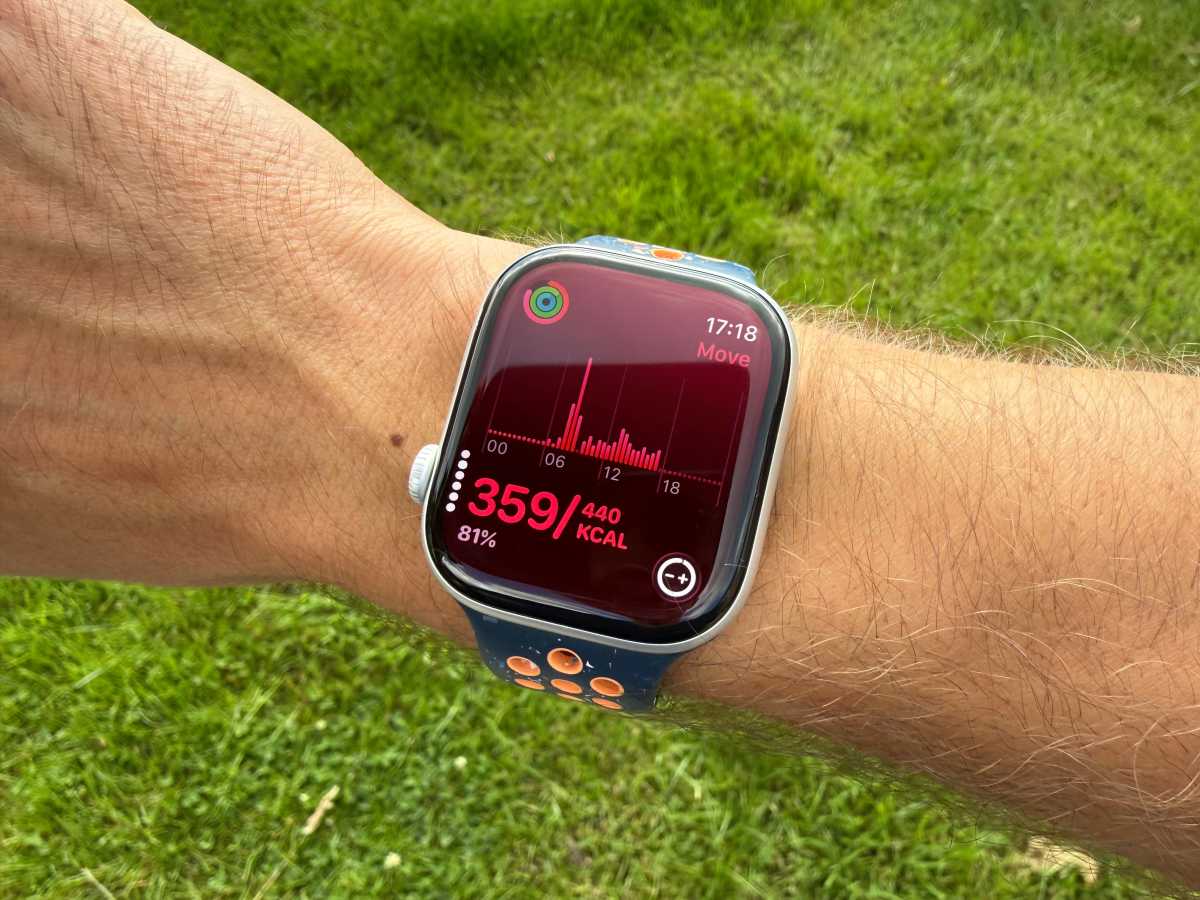
Choosing the right Apple Watch size depends on your wrist, how much display space you want and which model you prefer. Apple’s current lineup ranges from the compact 40mm Apple Watch SE 3 to the rugged 49mm Ultra 4.
| Model | Available sizes | Case dimensions | Best for |
|---|---|---|---|
| Apple Watch SE 3 | 40mm or 44mm | 40mm: 40 × 34 × 10.7mm; 44mm: 44 × 38 × 10.7mm | Smaller wrists, lighter watches and budget-conscious buyers. The 40mm version is the smallest current Apple Watch. |
| Apple Watch Series 12 | 42mm or 46mm | 42mm: 42 × 37 × 9.7mm; 46mm: 46 × 40 × 9.7mm | The best balance of display size and wearability for most people. |
| Apple Watch Ultra 4 | 49mm | 49 × 44 × 12mm | Athletes and adventurers who want the largest display, most durable construction and longest battery life. |
The Series 12 ceramic cases are slightly larger: approximately 43mm and 47mm rather than 42mm and 46mm.
Foundry
Consider your wrist size and comfort
The watch should feel secure without dominating your wrist or restricting movement. The 40mm SE 3 is the best option for particularly small wrists, while the 42mm Series 12 provides a larger display in a case that remains manageable for most people. If possible, try both sizes in an Apple Store before buying.
Consider display size and readability
A larger screen makes text, notifications and onscreen controls easier to see and use. The 49mm Ultra 4 has the largest display, but its 63g titanium case is substantially heavier than the aluminum Series 12 or SE 3. The 46mm Series 12 offers a spacious display without the Ultra’s additional bulk.
Consider whether you need the Ultra
Don’t choose the Ultra 4 solely because it has the largest screen. Its size makes most sense if you also need its rugged titanium construction, satellite connectivity, precision dual-frequency GPS, diving support or 50-hour battery life. For everyday use, the Series 12 will generally be more comfortable.
Check band compatibility
Apple Watch bands aren’t universally interchangeable. Bands designed for smaller cases generally fit the 38mm, 40mm, 41mm and newer 42mm watches, while larger bands work with 44mm, 45mm, 46mm and 49mm models. However, the older 42mm case belongs to the larger band family, so check the compatibility information before reusing or ordering a band.
Aluminum, titanium or ceramic: Which Apple Watch material is best?
Foundry
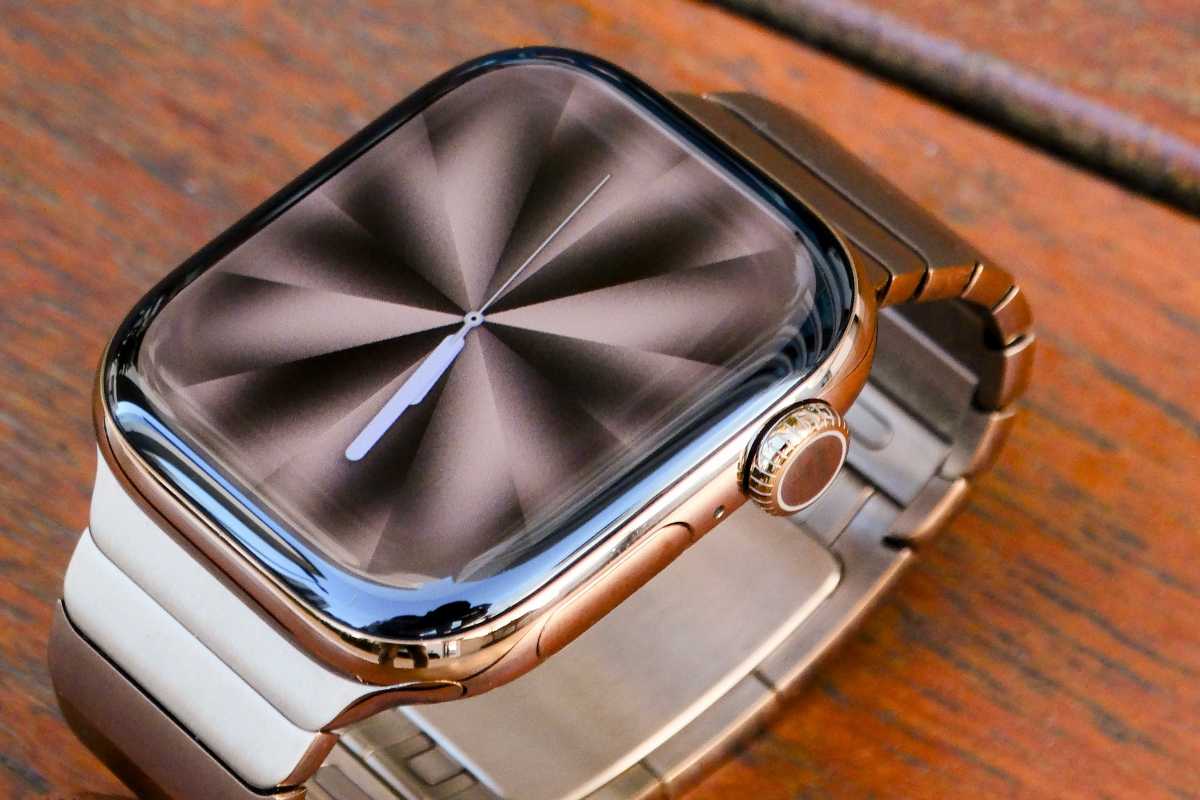
Another consideration when buying an Apple Watch is its case material, which affects its durability, weight, appearance and price. Apple currently offers aluminum, titanium and ceramic cases, although the available materials depend on the model.
Aluminum: Best for most people
Aluminum is the lightest and most affordable choice. It is the only material available for the Apple Watch SE 3 and the entry-level option for the Series 12, helping to keep their starting prices at $249 and $399 respectively.
It is a good choice for everyday wear, fitness and sleep tracking because it feels lighter on the wrist than the premium alternatives. The SE 3 uses Ion-X display glass, which Apple says is four times more crack-resistant than that of the SE 2. The aluminum Series 12 has the tougher Ceramic Shield 2 display, which Apple claims is 60 percent more durable than the Ion-X glass used by the aluminum Series 11.
Titanium: Best for premium durability
Titanium is available with the Series 12 and is the only case material offered with the Ultra 4. It provides a more premium finish and is paired with highly scratch-resistant sapphire crystal rather than the glass used on aluminum models.
The Series 12 titanium case is available in Natural or Radiant Gold. It is a good option for anyone who wants a more luxurious and durable everyday watch without moving up to the much larger Ultra.
The Ultra 4 uses a rugged Grade 5 titanium case in Natural or Black. It is designed for outdoor adventures, endurance sports and diving, with a 49mm case, 100-meter water resistance and recreational diving support. However, its size and 63g weight make it less comfortable for smaller wrists and sleep tracking.
Ceramic: Best for distinctive styling
Ceramic returns as a premium Series 12 option in Pearl White and Night Blue. It has a glossy, distinctive finish and uses a sapphire crystal display, but it is heavier and considerably more expensive than the aluminum version. The ceramic cases are also slightly larger than the other Series 12 configurations.
Which material is best for Apple Watch?
For most buyers, aluminum offers the best balance of price, durability and comfort. Choose titanium if you want a more premium finish, sapphire crystal or the Ultra 4’s specialized outdoor capabilities. Ceramic is primarily a style-led luxury choice for buyers who want the most distinctive Series 12 and are prepared to pay more for it.
Which Apple Watch strap should you choose?
Eugen Wegmann
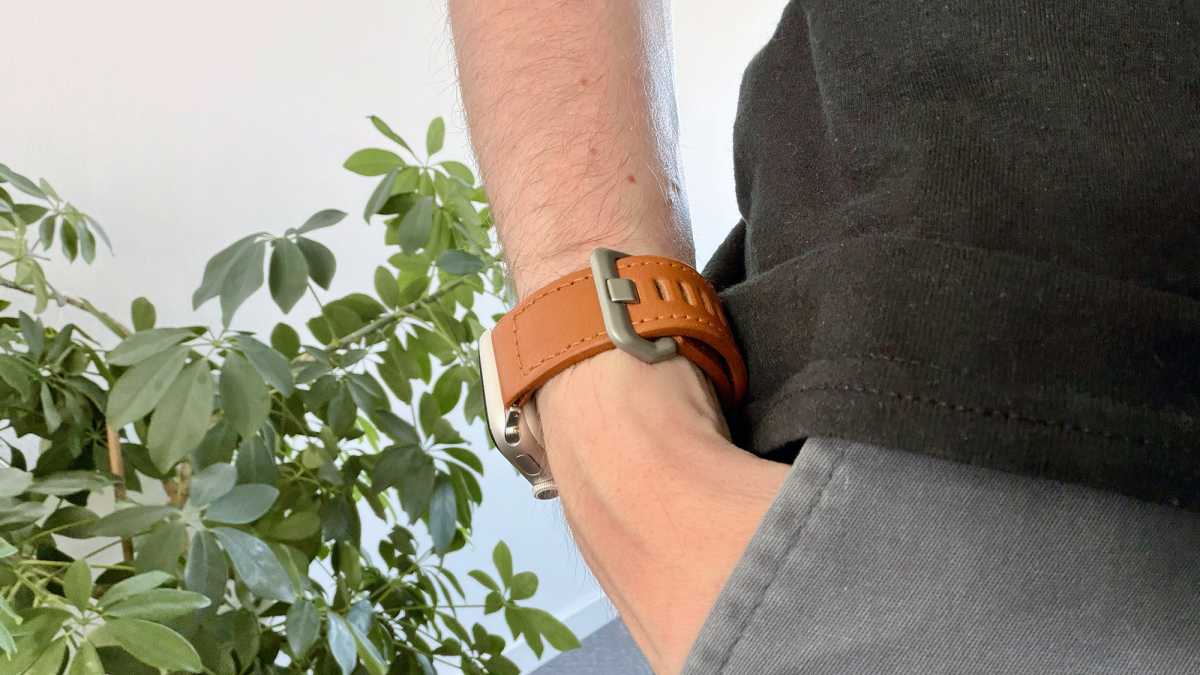
The right Apple Watch strap depends on how you intend to use your watch. Apple offers options for everyday wear, sleep tracking, exercise, water sports and formal occasions, while third-party manufacturers provide an even wider range of styles and prices.
| Strap | Best for | Key characteristics |
|---|---|---|
| Sport Band | Everyday wear, workouts and swimming | Durable rubber with a secure pin-and-tuck closure. Water and sweat resistant, but less breathable than fabric. |
| Sport Loop | Sleep tracking and all-day comfort | Soft, lightweight and breathable nylon with an adjustable hook-and-loop fastener. |
| Nike Sport Band | Running and intense workouts | Similar to the Sport Band but perforated for improved ventilation. |
| Nike Sport Loop | Running and everyday wear | A breathable fabric alternative to the Nike Sport Band. |
| Solo Loop | Everyday wear and sleep | Stretchable silicone with no clasp or buckle. Comfortable, but choosing the correct size is essential. |
| Braided Solo Loop | Comfort with a smarter finish | A stretchable woven band that feels more premium than the standard Solo Loop. |
| Alpine Loop | Hiking and outdoor adventures | Durable double-layer textile with a secure titanium G-hook. Designed for the Apple Watch Ultra. |
| Trail Loop | Running, hiking and all-day wear | Apple’s lightest Ultra strap, with a pull tab for quick adjustments. |
| Ocean Band | Swimming, diving and water sports | Water-resistant elastomer with a corrosion-resistant titanium buckle. |
| Milanese Loop | Work and formal occasions | Metal mesh with a magnetic closure, offering a smart appearance and precise adjustment. |
| Link Bracelet | Formal and premium wear | Apple’s premium metal bracelet, with removable links for adjusting the fit. |
| Modern Buckle or Magnetic Link | Smart everyday wear | More formal alternatives to the sport-focused straps, available for selected case sizes. |
| Hermès straps | Luxury and fashion | Premium woven, rubber and metal designs made in collaboration with Hermès. |
For most people, the Sport Loop is the best all-round choice because it is light, breathable and easy to adjust. Its softness also makes it particularly comfortable for sleep tracking.
For workouts and swimming, choose a Sport Band or Nike Sport Band. The perforated Nike version provides better ventilation during intense exercise. Divers and regular swimmers should consider the Ocean Band, while runners and hikers may prefer the lighter Trail Loop or more rugged Alpine Loop.
For work or formal occasions, the Milanese Loop, Link Bracelet, Modern Buckle and Magnetic Link provide a smarter appearance. Apple’s Hermès collection offers the most luxurious—and most expensive—options.
Before buying, check that the strap supports your Apple Watch case size and wrist measurement. Solo Loop and Braided Solo Loop straps require particularly careful sizing because they cannot be adjusted with a clasp. Third-party straps can offer excellent value, but quality, fit and fastening security vary considerably.
Do I need a cellular Apple Watch?
Whether you need a cellular Apple Watch depends mainly on how often you plan to leave your iPhone behind. For most buyers, the answer is no: a GPS-only Apple Watch offers better value and can already do a great deal without an active connection to an iPhone.
Away from your iPhone, a GPS Apple Watch can still track workouts, monitor health, record location data, use Apple Pay and play music or podcasts downloaded to the watch. When connected to a known Wi-Fi network, it can also send and receive messages, make calls and use many online services. See our guide to Everything an Apple Watch can do without an iPhone.
Cellular becomes useful when you regularly leave your iPhone at home but still want calls, messages, music streaming, navigation and notifications. This makes it particularly valuable for runners, cyclists, swimmers and gym users who don’t want to carry a phone. It can also provide reassurance when you are walking alone or exercising away from Wi-Fi, because the watch can contact emergency services after a fall or crash using its own mobile connection.
A cellular model is also the right choice when setting up an Apple Watch for a child or older relative who doesn’t have an iPhone. Apple Watch For Your Kids, previously called Family Setup, allows a family member’s watch to be configured from another person’s iPhone. A cellular plan enables calls, messages and location sharing when the watch is away from the managing iPhone.
The drawbacks are cost and redundancy. A cellular Series or SE generally costs more than its GPS equivalent, and you must also pay your network provider a monthly fee. If your iPhone is nearly always in your pocket or bag, the watch will normally use its connection instead, leaving you paying for cellular service that you rarely need. See: I switched to a cellular Apple Watch to prove I didn’t need one.
Our recommendation: The Ultra 4 includes cellular as standard, so there is no GPS-only version. For the Series 12 and SE 3, choose cellular only if you expect to leave your iPhone behind regularly or need Family Setup. Otherwise, save your money and buy the GPS model. For a more detailed comparison, see The pros and cons of a cellular Apple Watch.
Can you use an Apple Watch without an iPhone?
Yes, but with important caveats. An Apple Watch can do a surprising amount without an iPhone nearby, but an iPhone is required for the initial setup and to manage some settings. You cannot set up an Apple Watch using a Mac, iPad or Android phone.
The exception is Apple Watch For Your Kids, previously called Family Setup. This allows a parent or guardian to use their iPhone to configure a cellular Apple Watch for a child or another family member who doesn’t have an iPhone of their own.
Once it has been set up, an Apple Watch can perform many tasks without its paired iPhone nearby – and some don’t require an internet connection at all. These include:
- Tracking workouts and activity: Record runs, walks and other exercises, close Activity rings and collect GPS data. The results sync with the iPhone when it reconnects.
- Monitoring health: Measure heart rate, track sleep, log medications and use other health features supported by the particular watch.
- Playing downloaded media: Listen to music, podcasts and audiobooks stored on the watch using Bluetooth headphones.
- Using Apple Pay: Make contactless payments without an iPhone or internet connection once Apple Pay has been configured.
- Using offline tools: Set alarms and timers, use the stopwatch and compass, and view photos that have been synced to the watch.
Other features require either Wi-Fi or a cellular connection when the iPhone isn’t nearby. With an internet connection, the watch can make and receive calls, send messages, check email, stream music and podcasts, use Maps and access online apps and services.
Fall Detection and Crash Detection can still recognize an incident without the iPhone, but the watch requires Wi-Fi or its own cellular connection to contact emergency services. This is an important consideration if you are buying an Apple Watch for an older relative or someone who may regularly be away from their phone.
An Apple Watch therefore cannot completely replace an iPhone, but it doesn’t need to remain beside it throughout the day. For a complete breakdown, read all the things an Apple Watch can do without an iPhone.
How we choose the best Apple Watch
Macworld’s Apple Watch recommendations draw on more than a decade of hands-on experience. Our writers have tested and reviewed every generation since the original Apple Watch, comparing each new model with both its current rivals and previous generations before deciding whether it deserves a recommendation.
Our assessment focuses on the factors that make a meaningful difference in everyday use:
- Real-world testing: We assess comfort, build quality, display visibility, performance, battery life, charging, health sensors, fitness tracking and software features. We also consider how well the watch performs during everyday activities, workouts and sleep tracking—not simply how its specifications compare on paper.
- Value and upgrade potential: A newer or more expensive Apple Watch is not automatically the best choice. We consider whether its improvements justify the price, whether owners of recent models would benefit from upgrading and whether a discounted previous-generation watch offers better value.
- Honest recommendations: We clearly identify compromises such as limited battery life, missing health sensors, a bulky design or features that most people are unlikely to use. We don’t recommend a product simply because it has the most impressive specifications.
- Advice for different buyers: There is no single Apple Watch that suits everyone. We recommend the Series 12 for most buyers, the SE 3 for those seeking the best value, and the Ultra 4 for endurance athletes and outdoor adventurers who need its longer battery life, rugged construction and specialist capabilities.
Our final recommendations therefore combine extensive testing, expert judgment, price analysis and practical buying advice. The aim is not merely to identify the Apple Watch with the longest feature list, but to help you find the model that provides the right balance of features, comfort and value for the way you will actually use it.
FAQ
Is now a good time to buy an Apple Watch
Yes. Now is a great time to buy an Apple Watch because the brand-new Apple Watch Series 12 and Ultra 4 went on sale on September 18, 2026 and none of the line up is likely to be updated until September 2027. See: Should I buy an Apple Watch now or wait?
What is the difference between the Series 12 and SE 3?
The Apple Watch Series 12 offers a brighter, tougher display, premium aluminum, titanium and ceramic cases, and the newer S11 chip. It also includes advanced health features such as ECG, Blood Oxygen monitoring, high-frequency heart-rate sensing and the Readiness app, plus exclusive Audio Intelligence features. Battery life is rated at 24 hours.
The $249/£219 SE 3 uses the S10 chip, lasts 18 hours and provides essential fitness, sleep and safety features, but lacks the Series 12’s advanced sensors and premium materials.
Can you swim while wearing an Apple Watch?
Yes, you can swim while wearing an Apple Watch, but the level of water resistance varies significantly depending on the model. The Apple Watch Ultra models are the most water-capable in the lineup. They are water-resistant to 100 meters and are suitable for swimming, snorkeling, scuba diving (up to 40 meters), and high-speed water sports. The Ultra models also include a depth gauge (up to 40 meters) and a water temperature sensor, making them a genuine companion for divers and endurance swimmers.
The standard Apple Watch Series 11 and Series 10 are water-resistant to 50 meters and are described as “swimproof”. They are perfectly safe for swimming in a pool or the ocean, as well as for snorkeling and casual diving down to about 6 meters.
The Apple Watch SE 3 is also water-resistant to 50 meters and is considered “swimproof”.
To prepare your Watch before swimming by swiping up to open Control Center and tapping the water drop icon to enable Water Lock mode to prevent accidental screen taps. After your swim, turn the Digital Crown to eject any water from the speaker.