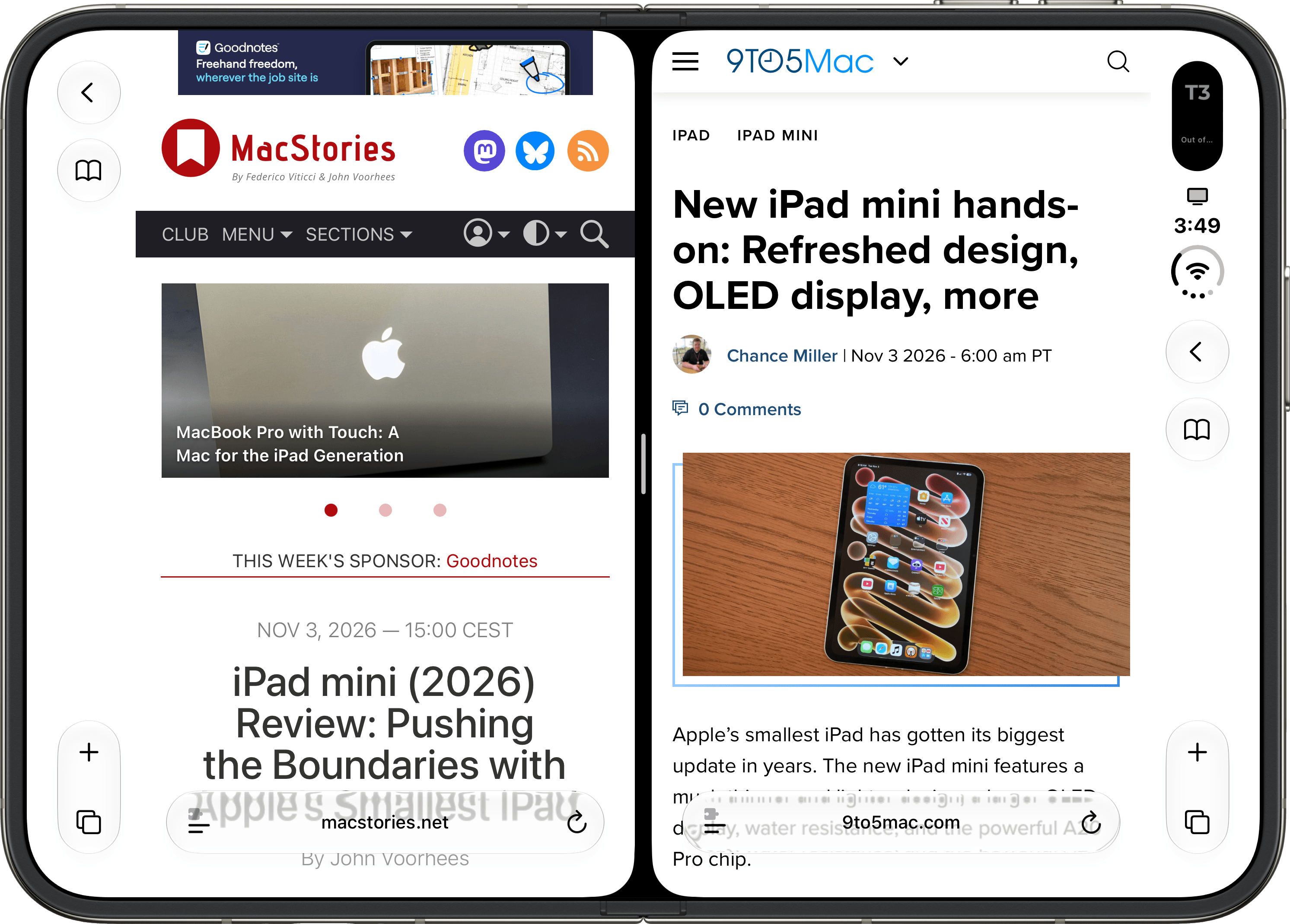
Multi-window for Safari on iPhone Duo.
Since Apple sent me a review unit of the iPhone Duo a couple of weeks ago, I’ve been enjoying using the device as a “pocket iPad” for getting work done with a portable, modular setup. I wrote this article about the MacBook Pro with Touch, for instance, primarily from the iPhone Duo at Apple’s Los Angeles event – a fact that was captured in this photo by Chance Miller. (A photo, by the way, that I showed to John Ternus, who is now aware of my modded Apple kickstand.)
I’ll write about my experience with the iPhone Duo, productivity, and apps more and more over the next few months at MacStories. Today, I wanted to share a simple yet useful tip to easily create multiple windows for the same app on the Duo.
In case you’re not aware, iOS for the iPhone Duo, just like iPadOS, lets you create multiple windows for the same app. This is a feature that has existed on iPad for a long time, and which has gone through different permutations of window pickers and activation methods. The iPhone never had support for multi-window, and I think it makes sense to roll it out as part of the Duo’s expansive inner display alongside Split View for multitasking. The problem is that, unlike iPadOS, iOS for the Duo does not have a UI element to let you manually create a new empty window for an app that supports multiple windows. It is confusing: you can open multiple windows for the same app on the Duo, but you can only do so from app-specific menus that have been placed by developers in their apps’ interfaces, or from app-specific keyboard shortcuts if you’re using the Duo with an external keyboard, like I am right now.
In Notes, for example, you can long-press a note to ‘Open in Split View’, which will create a separate window for the selected note on the side. In Unread, my favorite RSS client, there’s a custom ‘Open in New Window’ menu item that does the same for the currently selected article. These implementations are specific to each app and aren’t shared at a system-wide level on iOS 27 for the iPhone Duo. Without a menu bar or global Control Center toggle, how do you consistently create a new window for the app you’re currently using on the Duo?
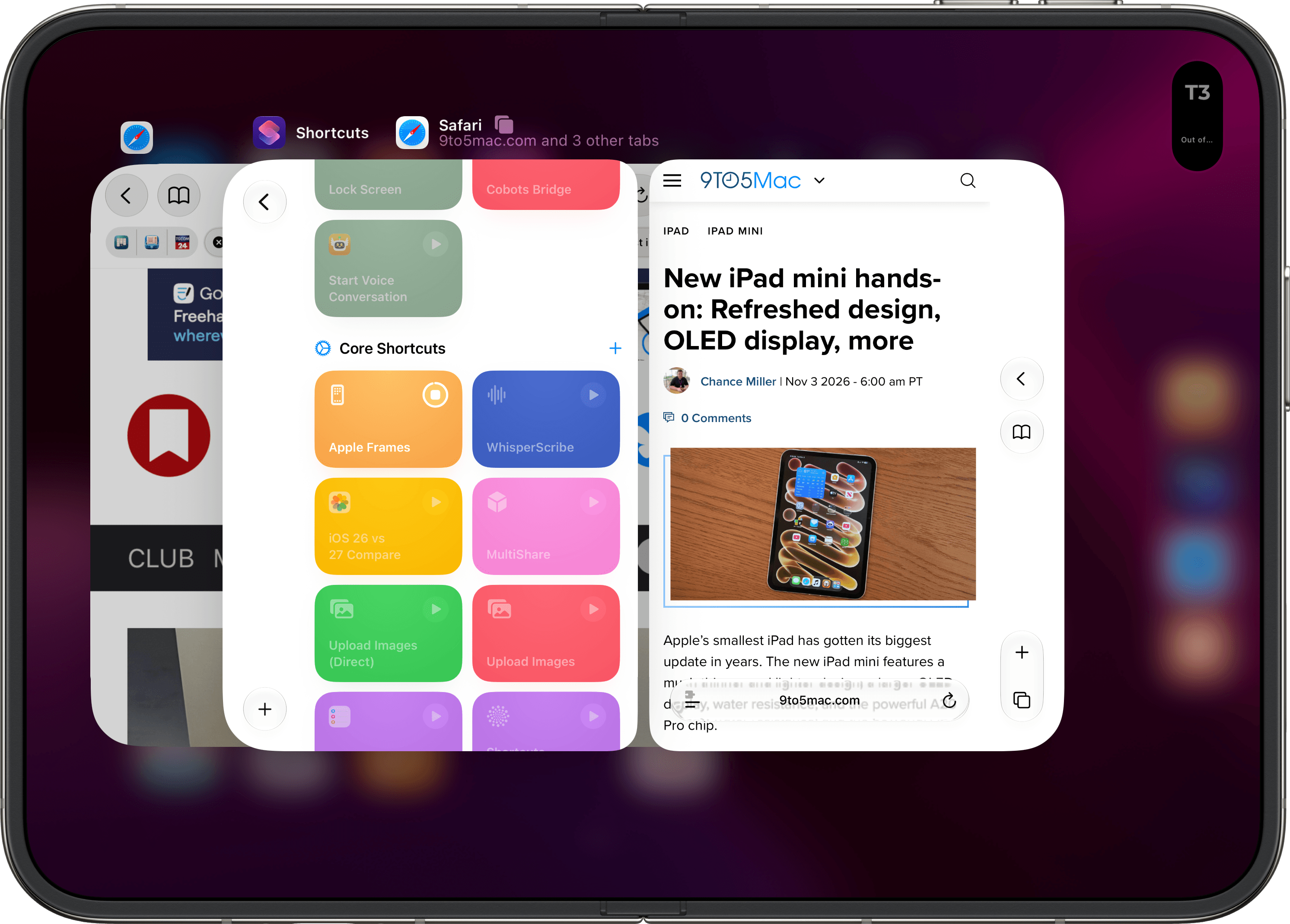
Multiple Safari windows in the iPhone Duo app switcher.
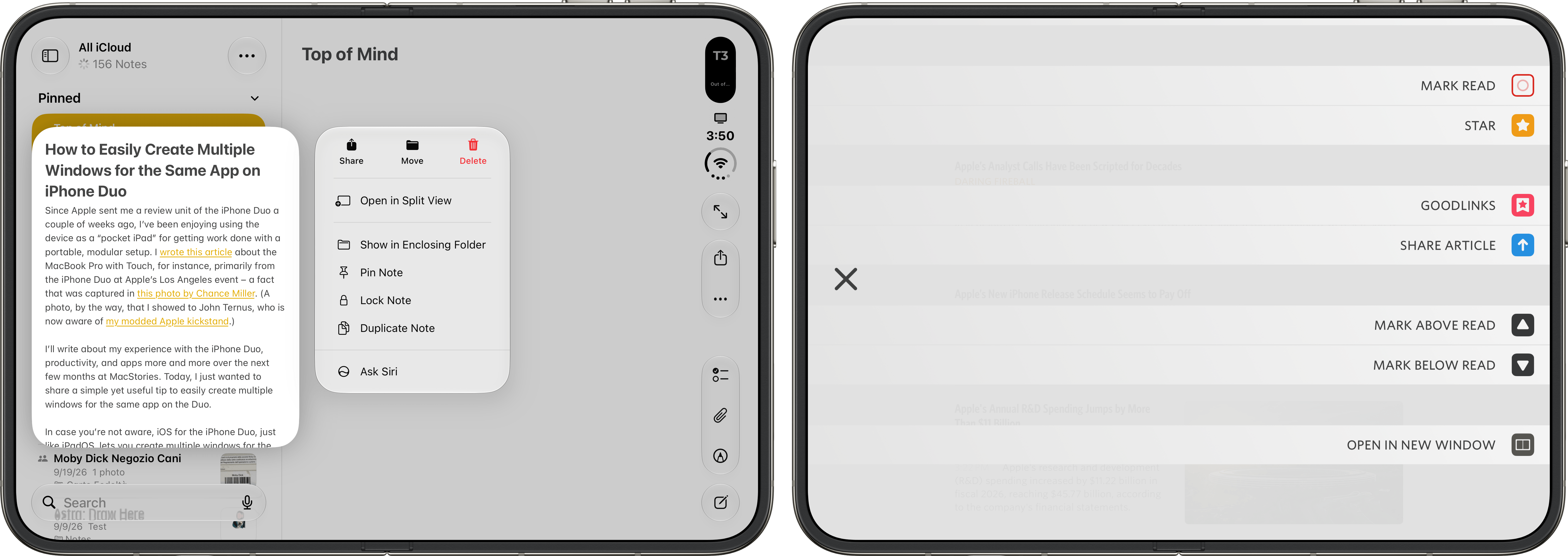
Notes (Left) and Unread have special buttons to create new windows.
Thanks to Shortcuts, I’ve landed on a solution that works pretty well as a way to create a new window in compatible apps and immediately tile it next to the current app’s existing window. Here’s how: by leveraging Shortcuts’ ‘Get Current App’ action, we can pass the currently open app as a parameter to the ‘Split Screen’ action. As it turns out, if we tell Shortcuts to split the screen between the current app and the current app, iOS will just happily create a new window for the app so the screen can be split.
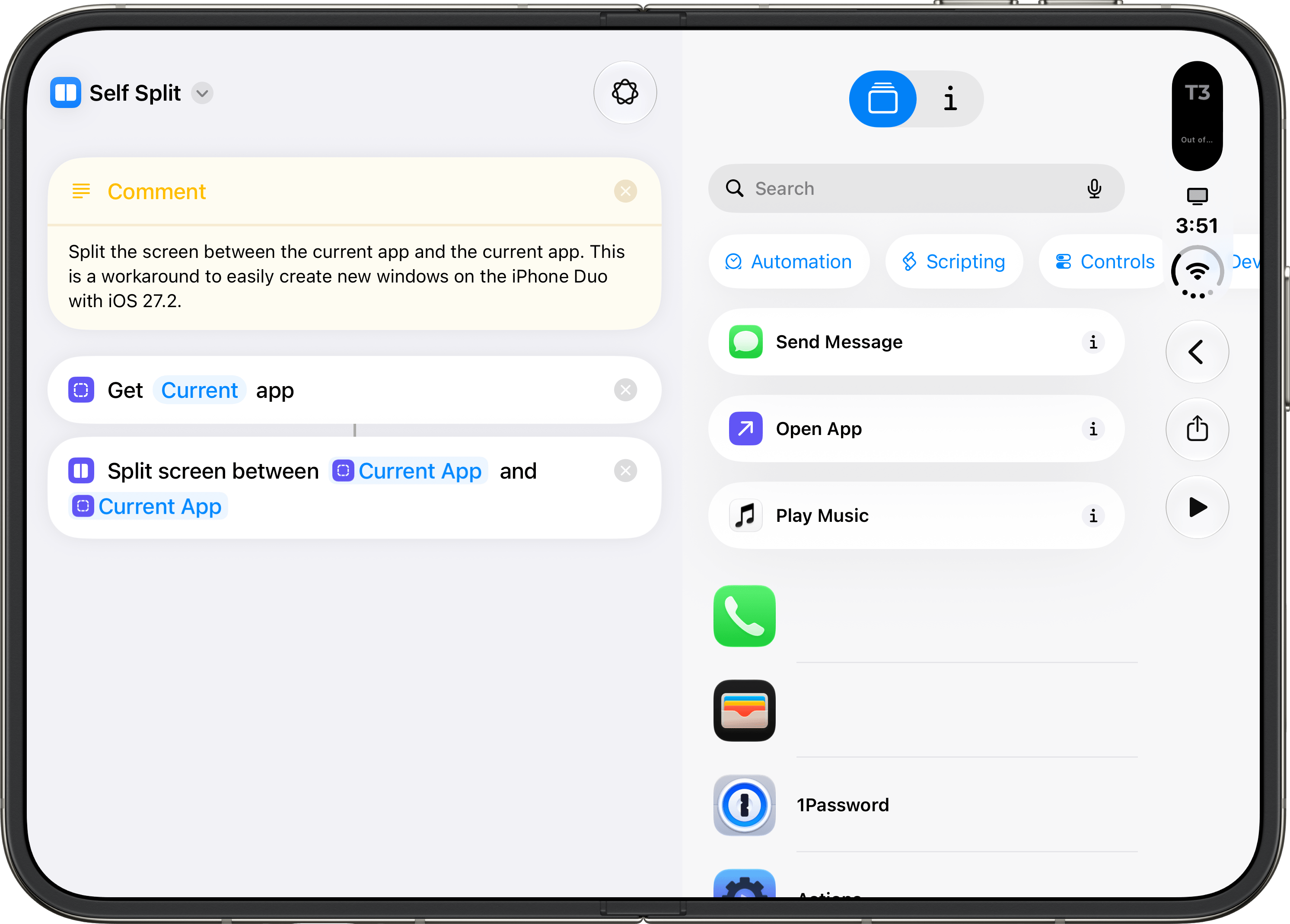
A simple technique to create new windows from the same app with Shortcuts.
I created a shortcut for this workaround called ‘Self Split’, which you can find below and in the MacStories Shortcuts Archive. In my experience so far, the best way to use this shortcut is to add it to Control Center: this way, whenever you want to quickly create a new window for the app you’re using, you can just open Control Center, tap the shortcut, and the current app will spawn a new window on the other side of the screen.
Using Self Split on iPhone Duo.
While this approach works for now, I’d like to see Apple continue borrowing from the work they’ve already done for multitasking and multi-window on iPadOS and simplify it for the iPhone Duo. Just as they’ve shipped a slimmed-down, yet incredibly pleasant, version of Split View on the Duo that’s been adapted from iPadOS, so I’d like to see a new take on the Shelf or Exposé for creating and managing multiple windows. It is a bit ironic that we’re now arguing in favor of simplifying iPad interactions for a new Duo era just like we were asking for simplified Mac features on the iPad Pro a decade ago, but here we are.
Until Apple improves window management on the Duo, you can get my Self Split shortcut below and find it in the MacStories Shortcuts Archive.

Self Split
Split the screen between the current app and the current app. This is a workaround to easily create new windows on the iPhone Duo with iOS 27.2.